Most Shopify brands do not have a content idea problem. They have a conversion and production problem.
Your catalog already contains the raw material for a month of social content:
- product titles and categories
- product images
- benefits and differentiators
- variants, bundles, and prices
- collection themes
- customer language from reviews, support, and FAQs
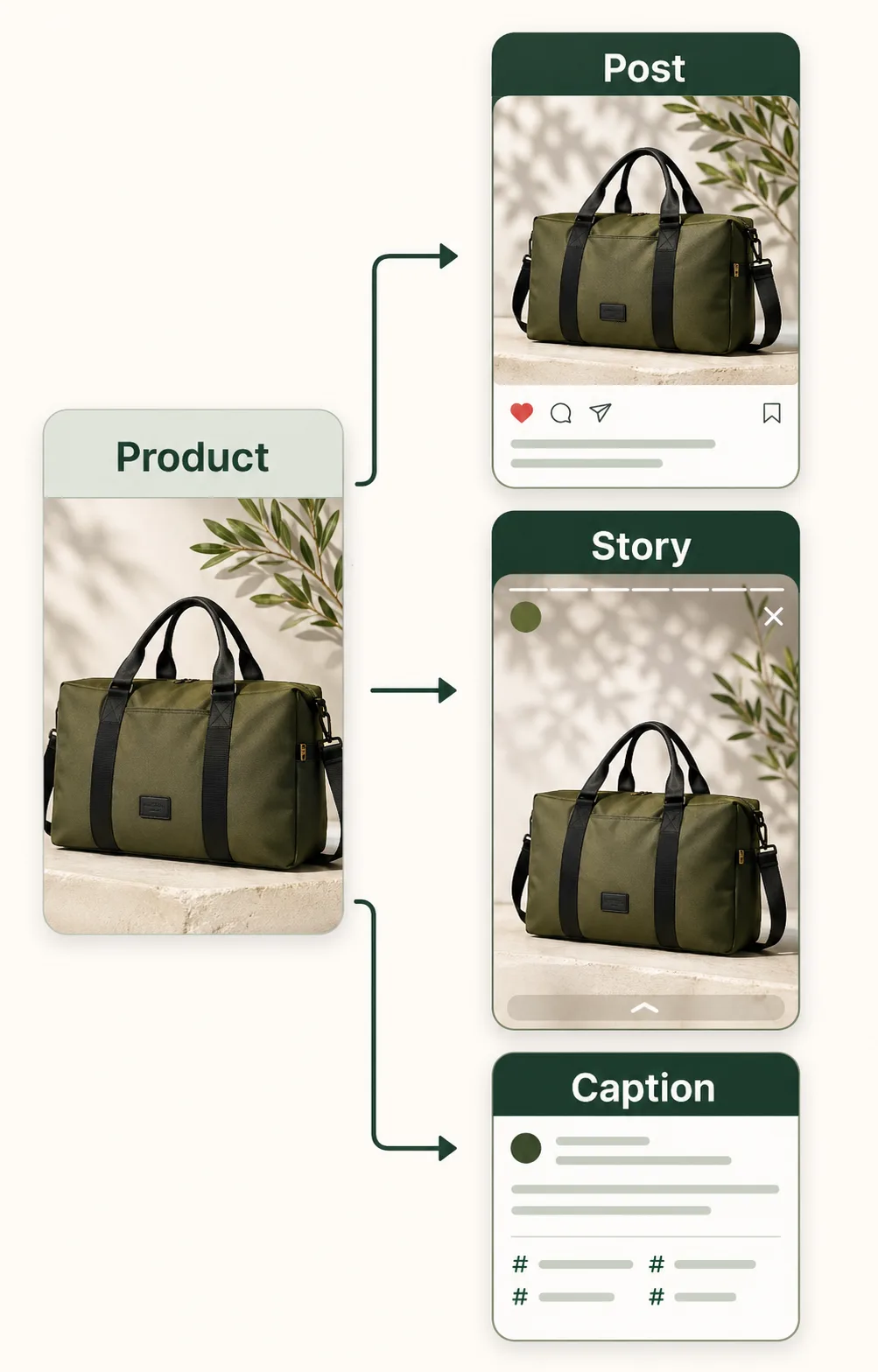
A catalog-first social content engine turns those inputs into repeatable assets: visuals, captions, CTAs, and hashtags that are tied to what you actually sell.
Why the catalog should be your primary content source
A Shopify catalog is not just inventory. It is a structured content database.
When social content starts from catalog data, you get three advantages:
- Relevance: each post maps to an active product, collection, or campaign.
- Accuracy: claims can be checked against product pages before publishing.
- Scalability: one product can produce multiple angles, formats, and CTAs.
This also lowers the risk of generic AI output. A prompt like "write a social post for our store" is weak. A brief built from a product name, category, image, benefit, proof point, buyer context, and campaign goal is much stronger.
The 30-day engine in one sentence
A 30-day Shopify social content engine is a repeatable workflow that chooses priority products, assigns buyer intent, generates format-specific assets, reviews claims, publishes through your normal tools, and saves the best outputs for reuse.
That definition matters for SEO and for operations. The point is not to create 30 random posts. The point is to build a system that compounds.
Step 1: choose the right products
Start with 3 to 6 products or collections for the month. Do not try to promote everything.
Prioritize products that have:
- active inventory
- clear product photos
- a specific buyer problem or use case
- a current business reason to promote them
- a landing page that supports the social promise
Good monthly candidates include new arrivals, bestsellers, bundles, seasonal collections, restocks, and high-margin products that need more attention.
Avoid products with unclear positioning. If the product page cannot explain the value, social content will struggle too.
Step 2: assign intent before creating assets
Each product needs more than one post angle. Assign intent first so the visual, caption, CTA, and hashtags do not fight each other.
Use three simple intent buckets:
- Awareness: introduce the product or collection to a broader audience.
- Consideration: answer objections, explain benefits, or show use cases.
- Conversion: push a timely action such as shop now, view bundle, or claim offer.
For example, an insulated bottle could support:
- Awareness: "A cleaner everyday carry for commute, gym, and errands."
- Consideration: "Leakproof cap, removable straw, and cold drinks for up to 24 hours."
- Conversion: "Bundle two colors before the weekend shipping cutoff."
The same product can generate all three, but each post should have one dominant job.
Step 3: map each angle to a format
Do not force every idea into the same layout. Match the format to the product message.
Use this starting map:
- Instagram feed: product-first square creative with one benefit or proof point
- Instagram story: vertical creative with a direct CTA and low text density
- Facebook post: wider creative that can carry a clearer benefit statement
- Carousel: multi-step explanation, comparison, or objection handling
- Caption-first post: story, founder note, review quote, or product education
If your team is small, begin with three generated assets per product: feed, story, and Facebook. That is enough to test format fit without creating a bloated calendar.
Step 4: generate a complete asset pack
A complete product post is not only an image and not only a caption. It should include the parts needed for review.
For each asset pack, capture:
- selected product or collection
- campaign goal
- visual format
- caption
- CTA
- hashtag set
- strategy summary or review note
This makes review faster because the team can judge the asset as a system. If the CTA says "shop the bundle" but the visual only shows one product, the mismatch is obvious.
Lantern Ferry is built around this idea. It lets a Shopify merchant select products or collections, choose a campaign goal, generate platform-specific assets, and save the results in an asset library.
Example: one product into 10 social assets
Suppose the product is a leakproof insulated bottle with a removable straw, three colors, and a commuter-friendly size.
One product can become:
- 2 launch assets: new color announcement and product spotlight
- 2 education assets: cleaning tip and hydration routine
- 2 objection assets: leakproof claim and bag-fit concern
- 2 social-proof assets: review quote and customer use case
- 2 offer assets: bundle angle and shipping-window reminder
That gives you 10 controlled variations from one source of truth. Three priority products can fill a month without making every post feel repetitive.
A sample 30-day content mix
Use this as a practical starting point:
- Week 1: new arrival awareness, product benefit post, story CTA
- Week 2: objection-handling post, customer proof post, bundle reminder
- Week 3: collection theme, product comparison, educational tip
- Week 4: bestseller spotlight, limited offer, recap or restock post
The exact calendar matters less than the mix. A healthy month includes awareness, consideration, and conversion posts across multiple products.
For a more detailed planning process, use the Shopify Social Content Calendar Template.
Manual workflow vs Lantern Ferry workflow
Here is the difference between a manual process and an app-assisted process.
Manual workflow:
- search product pages for details
- copy product benefits into a planning doc
- write visual direction from scratch
- draft captions separately
- build or brief the visual asset
- choose hashtags
- review for product accuracy
- save files in folders
Lantern Ferry workflow:
- select a synced product or collection
- choose the campaign goal and format
- generate a visual, caption, CTA, and hashtags from the same context
- review and regenerate if needed
- download the asset
- save it in the library for reuse
The app does not remove review. It shortens the distance between product selection and a useful first draft.
Quality checklist before publishing
Before any generated or manually created post goes live, check:
- Does the visual clearly show the product or collection?
- Does the first line of the caption match the buyer context?
- Is the claim accurate to the product page?
- Is there one CTA, not three?
- Does the destination page support the promise?
- Are hashtags tied to category, audience, and intent?
- Is this meaningfully different from last week's version?
If two or more items fail, revise before publishing.
What to measure
Track output and outcome separately.
Output metrics:
- assets generated
- assets approved
- draft-to-publish time
- regeneration rate
- on-time publish rate
Outcome metrics:
- saves and shares
- profile visits
- product-page clicks
- add-to-cart or purchase assists
- winning product angles by campaign
If output is high but outcomes are flat, improve angle quality. If outcomes are strong but output is inconsistent, improve the workflow and reuse more winning patterns.
Common mistakes to avoid
- Writing from a blank page while ignoring product data
- Treating every format as the same creative
- Reusing one CTA across awareness, consideration, and conversion posts
- Choosing hashtags before the post intent is clear
- Publishing generated claims without product-page review
- Letting approved assets disappear instead of saving them in a library
A catalog-driven system should make social content faster and more product-specific at the same time.
Related guides
Use these to build the surrounding system:
- Shopify Social Content Playbook
- Shopify Product Launch Social Brief Template
- Instagram Product Captions From Product Pages
Next step
If you want to test a catalog-backed workflow inside your Shopify stack, Lantern Ferry includes 10 free monthly credits for generating your first social assets.